Short sessions, readable mistakes, and a better plan for the next shot.
01
A quiet round between loud performances
Pen Fight gives a voice-game session a completely different rhythm. Instead of finding a character voice or pushing a microphone meter, you study a small desk and send a pen across it. The goal is physical and easy to explain: remove an opponent from the playing surface without throwing away your own position. There is no need to perform for an audience, and no microphone permission is required for the core game. That makes this a useful change of pace when someone wants a turn without speaking. The interesting part is not the size of the collision. It is the decision that comes before it: which side to approach, how much movement to allow, and where your piece should finish. A satisfying round can contain a gentle setup followed by one accurate push. Think of the desk as a miniature playing field, not a target range where every attempt deserves maximum power.
02
Meet the Desk Legends menu before choosing a mode
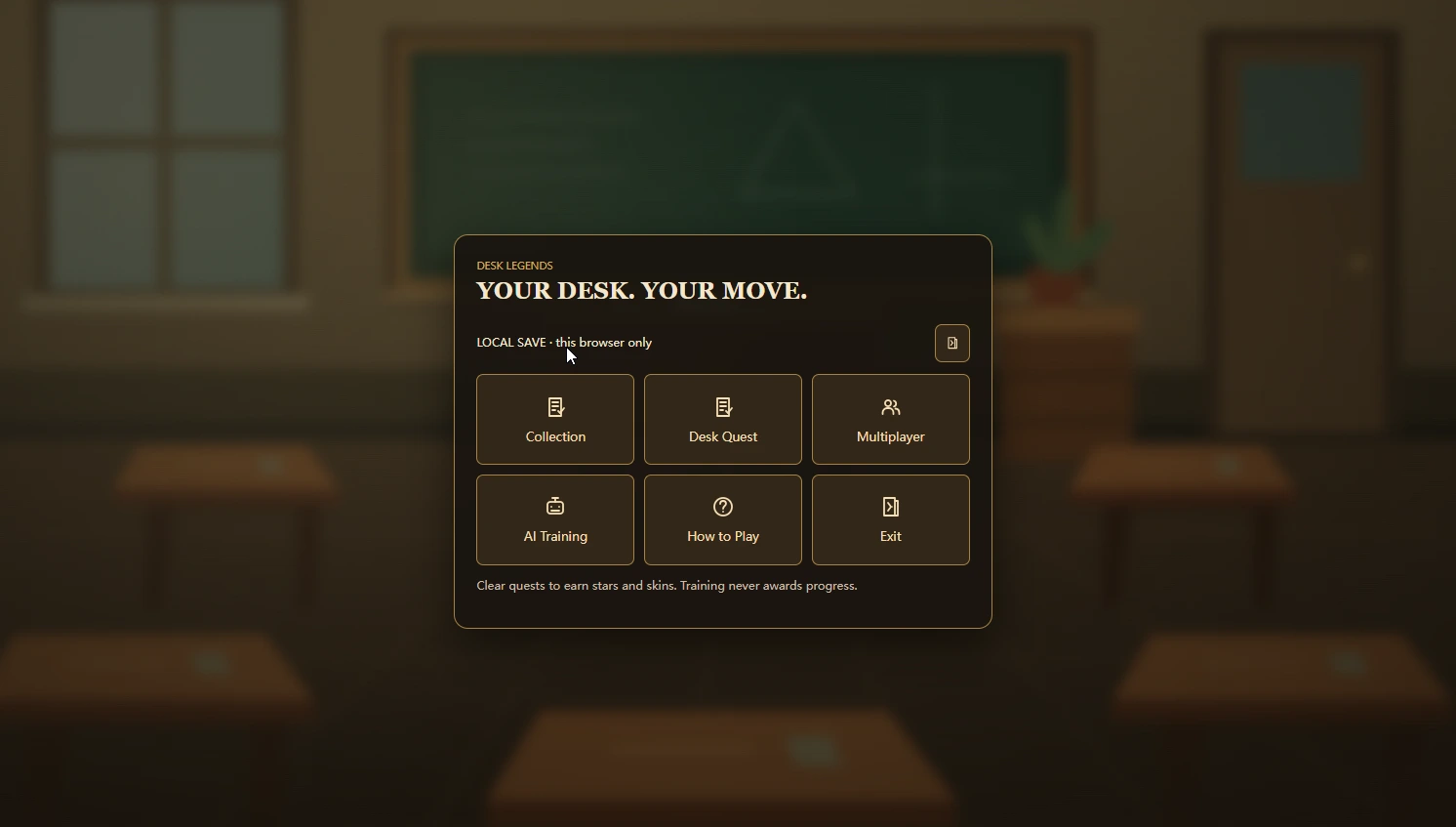
The source project presents the current game as Pen Fight: Desk Legends. Its menu separates Desk Quest, AI Training, Collection, and multiplayer options rather than hiding every activity behind one start button. For a first visit, choose a solo activity and learn how a turn feels before organising friends. Desk Quest offers a sequence of challenges and progression; practice is a better place to repeat a movement without treating every miss as a lost opportunity. Available options can change as the hosted game is updated, so use the labels inside the loaded game as the final reference. This website embeds that game rather than recreating its menus or controlling its version. The supplied screenshots document a particular edition: an older local-save message in an image is not a promise about the account or storage options currently shown in your browser. Read the live menu before relying on any mode or save feature.
Choose a mode inside the game. This reference screenshot shows an earlier local-save interface.
03
Learn the pull-back gesture with a modest first shot
Begin by clicking or touching inside the game so input belongs to the arena. The basic gesture is a pull-and-release action: pull opposite the direction in which you want the pen to travel, inspect the displayed aim or power feedback, and release. Start with a short pull. A restrained attempt tells you how much travel that surface permits and leaves more room to understand the result. If you pull toward the target as though dragging a piece into place, the launch can go the other way. Pause and check the direction indicator instead of repeating the mistake with extra force. Wait until moving objects settle and the game offers another turn before aiming again. On a small screen, your finger can hide the pen and its nearby edge; a larger display or landscape orientation makes the gesture easier to read. The first objective is a deliberate, reproducible release, not an immediate knockout.
04
Read the landing space, not just the collision point
Before launching, imagine three positions: your starting place, the point of contact, and the patch of desk you hope to occupy afterward. The third is easy to forget. A direct hit that sends both pieces toward an edge may trade a promising position for an uncertain finish. A slightly angled contact can create pressure while leaving more surface behind your own pen. This is a planning suggestion, not a guaranteed formula: rotation, friction, starting orientation, and subsequent impacts affect what actually happens. Watch the full movement before judging the attempt. When you miss, ask whether the line was wrong or the force was wrong. Changing both at once removes the useful comparison with your previous shot. Keep a good line and reduce the pull, or keep the pull and adjust the angle. That small experimental habit produces clearer progress than alternating between tiny taps and desperate full-strength launches.
05
Use practice to test one question at a time
AI Training is a sensible stop when the same mistake keeps returning. The source guide describes selectable difficulty and desk conditions, with fixed and adaptive training options. Pick a simple setup and ask one question, such as how far a short pull carries your pen or how a glancing contact changes its rotation. Do not turn a practice session into a checklist of every setting. Repeating a stable arrangement makes differences visible. If you switch the surface, obstacles, difficulty, and aim together, you cannot tell which change improved the result. Once a movement becomes reliable, return to a quest or another supported mode and see whether the skill transfers. Training and progression are not interchangeable: the supplied menu explicitly distinguishes practice from quest rewards. Use practice for understanding, then check the actual quest requirements when your goal is a skin, star, or background rather than simply a cleaner hit.
06
Treat collections as a reason to explore, not a power shortcut
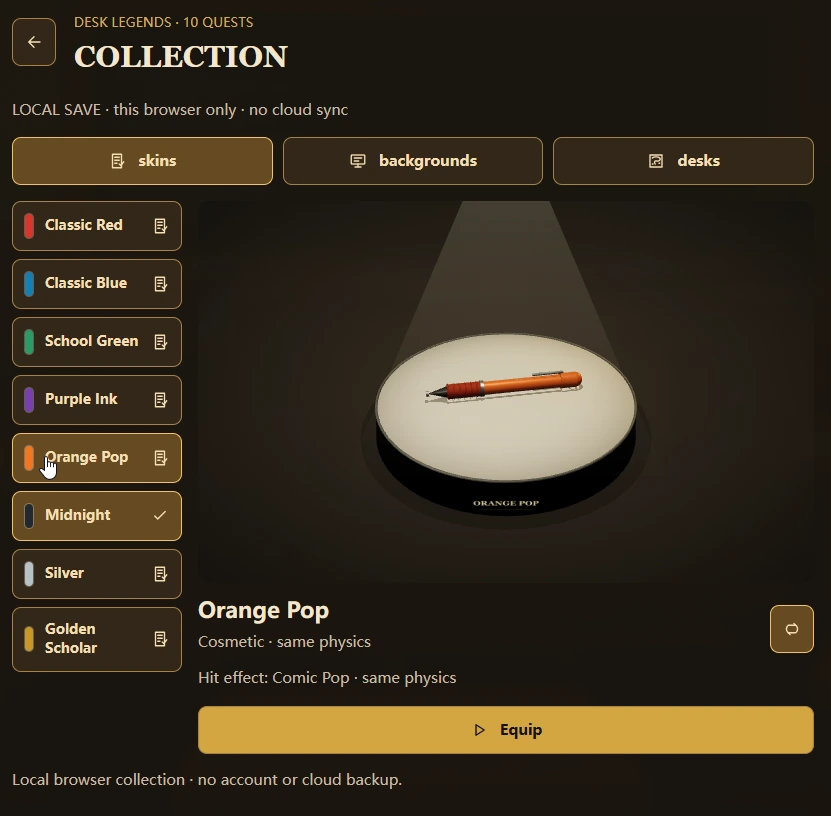
The collection gives the desk a personal identity through pen skins and scene choices. The source material describes skins as cosmetic, with visual impact effects rather than superior physics. A newly unlocked colour should therefore not be treated as a way to rescue an uncontrolled shot. Choose an appearance that is easy for you to distinguish from opponents, particularly against the current desk and background. The pictured Orange Pop entry shows how the game presents a skin alongside its effect and equip action. Some collection items depend on quest progress, so inspect the requirement in the live interface before replaying a mode for an assumed reward. Backgrounds and desk materials are also different concepts: a classroom scene changes the surroundings, while a selected playing surface can affect friction. Keep the surface consistent during practice even if you change the scenery. That preserves a fair comparison between attempts while still letting you enjoy the collection.
The collection labels this pen cosmetic. Choose a clear appearance rather than expecting a physics advantage.
07
Make a social session fair without inventing new game features
There are two different ways to include a group. The current source project describes friend rooms with invitations and team options; those depend on the hosted game and its network services. Separately, players can agree to take turns on one device and compare solo attempts. The second is a house rule, not online matchmaking. For a casual comparison, use the same device, surface, difficulty, and number of attempts. Give everyone a warm-up so the first person is not learning the controls while the last benefits from watching. Let the active player finish the movement before offering advice. A two-minute practice turn can be more welcoming than making newcomers compete immediately with someone who already understands edge control. If you use a room, read its readiness and turn indicators rather than assuming all participants can launch at once. Never promise that progress or scores transfer between this embedded session and another browser simply because the game address looks familiar.
08
Protect a good position when the desk starts feeling small
A pen close to the boundary creates urgency, but urgency is a poor reason to abandon the direction indicator. First identify the edge that threatens your own piece. Then look for an approach that does not spend all your remaining safety margin. Sometimes the useful move is to improve the next angle instead of trying to finish the opponent immediately. This is why a central position often feels forgiving: several future directions remain available, and a small error has room to slow down. Near a corner, those options shrink. Review defeats in that order: starting position, intended contact, final drift. If the contact was successful but your piece continued off the desk, the lesson is about stopping space rather than aim alone. Resist the temptation to call every awkward result random. Physics can be difficult to predict precisely, yet repeated patterns still tell you which approaches are too ambitious for the available surface.
09
Choose a screen setup that lets you see the whole move
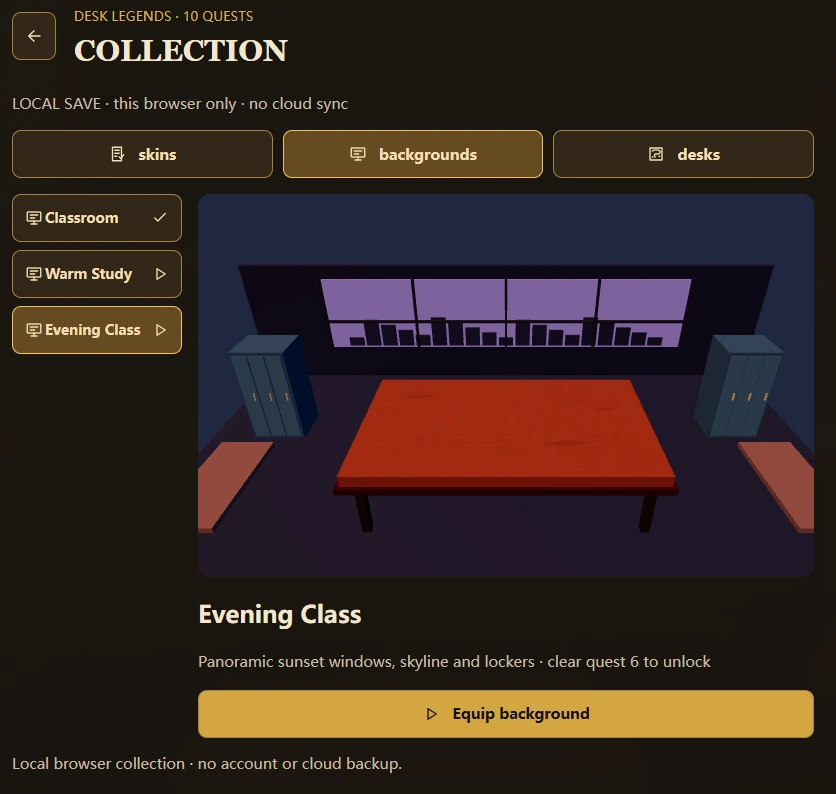
This page keeps the game in a dedicated frame and provides a fullscreen control for a less crowded view. Desktop play is the clearest starting point for the current beta because a pointer makes the pull direction visible without covering it. On a phone or tablet, landscape orientation often gives the arena more usable width, but it is not a guarantee that every device or mode will behave identically. If the browser declines fullscreen, continue in the frame or use the original-site link below the player. Avoid repeatedly rotating during a turn while you are still learning where the controls sit. Also separate visual presentation from game rules: the Evening Class screenshot shows a background selection, not a new competitive mode. A different room can be attractive without changing the objective. If motion is uncomfortable, take a break and check the game's available settings rather than forcing yourself through repeated fast collisions.
Background selection changes the setting. Check the live menu for its current unlock requirements.
10
Understand what is saved before you leave
An embedded game runs under its own origin, and browsers can restrict storage differently inside another website. Keep that distinction in mind when returning to a collection or continuing a challenge. Local progress in one browser profile does not automatically become progress on a phone, a private window, or a different embedding site. The source project also documents account-related features, but this page does not provide a separate sign-in system or guarantee that an external sign-in flow will complete inside the frame. If you need those options, use the original Pen Fight site and follow the status it displays. Before clearing site data to solve a loading problem, consider whether it contains progress you want to retain. Try less destructive checks first. A screenshot of a reward can be a useful personal record, but it is not a save file and cannot restore game state. Always distinguish what you saw from what the game confirms it has stored.
11
Troubleshoot a blank arena in a useful order
Start the player once and give the external assets time to arrive. A slow connection can leave a loading screen visible longer than expected; repeatedly pressing reload simply starts that process again. If nothing changes, check whether the same game opens through the original-site link. That comparison helps separate an embedding or browser-storage restriction from an unavailable game host. WebGL support, hardware acceleration, managed-device policies, and content-blocking extensions can affect browser games, but a blank screen alone does not identify which one is responsible. Do not disable every browser protection as a first step. Try a normal updated browser profile, close resource-heavy tabs, and note any visible error message. If the controls do not respond after loading, click inside the arena and confirm it is your turn. Sound is not a microphone requirement here: you can lower output volume without granting audio-recording permission. Report the device, browser, and exact stage where loading stops when requesting help.
12
Finish with one repeatable skill, then switch games
A productive short session ends with something you can explain. Perhaps you learned to stop near the centre, to approach a long pen from a safer angle, or to make a short pull reliably. That is a stronger takeaway than one spectacular collision you cannot reproduce. For a group coming from Choicer Voicer, treat Pen Fight as a different kind of turn-taking rather than a replacement for voice play. Agree on a few rounds, give each person room to learn, and use the game shelf to return to a microphone activity when everyone is ready. The videos below are reference pen-fighting clips retained from the source website; they should not be read as demonstrations of every current Desk Legends menu or multiplayer feature. Compare their general tabletop idea with your own controlled movement, but trust the live game for exact controls and available modes. The lasting appeal is simple: make a prediction, release the pen, and learn from where it actually stops.
TABLETOP INSPIRATION
Watch pen-fighting reference clips
These videos come from the source site's reference collection. They are not verified recordings of the current Desk Legends modes.
BEFORE YOUR NEXT TURN
Pen Fight FAQ
Controls, storage, screen setup, and practical troubleshooting.
01Does Pen Fight need a microphone?+
No. The core game uses pointer or supported touch input. It is a physics-game alternative to the microphone activities on this website.
02How do I launch the pen?+
Focus the game, pull back opposite your intended direction, check the aim and power feedback, and release. Begin with a short pull and wait for movement to settle.
03Why does a good hit still lose the round?+
Contact is not the final result. Your pen may continue toward an edge after the collision. Reduce the force or choose an approach that leaves more stopping space.
04Is there multiplayer?+
The source Desk Legends project includes friend-room modes. Availability depends on the live hosted game and its network services. This page itself does not create rooms or provide matchmaking.
05Do pen skins make shots stronger?+
The source collection describes skins as cosmetic. Do not confuse a visual effect or colour with extra power; desk surface settings can be a separate physics consideration.
06Can I play on a phone?+
Try the supported touch controls in landscape for more room. Desktop is the recommended starting point for this beta; this page does not guarantee compatibility with every mobile browser.
07Will my progress follow me to another device?+
Do not assume so. Local storage belongs to a browser context. Use the original site for its available account and save features, and check the save status inside the game.
08What should I do if fullscreen is unavailable?+
Keep playing in the frame or open the original game site. Browser and device policies can prevent fullscreen even when normal embedded play works.
09Are the videos recordings of this exact version?+
Not necessarily. They are pen-fighting reference clips from the source website, not verified footage of the current Desk Legends features or menus.